GSoC 2009/Projects/Twitter Plugin And Twitpic Support For Canola: Difference between revisions
From Maemo Wiki
Jump to navigationJump to search
imported>kasun This page describes GSOC 2009 project to integrate twitter support into canola2 |
imported>amigadave No edit summary |
||
| (16 intermediate revisions by 2 users not shown) | |||
| Line 1: | Line 1: | ||
== Twitter application and Twitpic support for Canola - GSoC 2009 Project == | |||
*'''Student''': kasun herath | |||
*'''Mentor''': Eduardo Lima | |||
*'''Repository''': http://github.com/kasun/Canola-twitter/tree/master | |||
===Project summary=== | |||
The aim of this project is to provide a twitter application and twitpic support for canola2. | The aim of this project is to provide a twitter application and twitpic support for canola2. | ||
| Line 19: | Line 28: | ||
<p> | <p> | ||
<b> | <b> Resources </b> <br/ > | ||
Mockups of the plugin - [[Media:twitter_mockup.jpg]] | |||
Current Interfaces - [[Media:Twitter-textbox.png]] , [[Media:Twitter-list.png]] [[Media:Twitter-updates.png]] , [[Media:Twitter-options.png]] , [[Media:Twitter-Reply.png]] , [[Media:Twitter-Twitpic.png]] | |||
</p> | |||
==Progress== | |||
<ul> | |||
<li>Settings options implemented.</li> | |||
<li>Twitter client implemented.</li> | |||
<li>Twitter options(Reply, Retweet, Delete) implemented</li> | |||
<li>Twitpic support integrated</li> | |||
</ul> | |||
===Project Reports=== | |||
*[http://n2.nabble.com/-GSoC-09----Twitter-application-and-Twitpic-support-for-Canola----Report-td3039268.html Report 1] | |||
*[http://n2.nabble.com/-GSoC-09----Twitter-application-and-Twitpic-support-for-Canola----Report-2-td3169368.html Report 2] | |||
== How to Install == | |||
<ul> | <ul> | ||
<li> | <li>Download the latest twitter-plugin using the command, git clone git://code.openbossa.org/canola-twitter-plugin/mainline.git</li> | ||
<li> | <li>copy the mainline/canola-twitter folder into canola-src/canola/plugins folder</li> | ||
<li> | <li>cd into, mainline/data/themes/default</li> | ||
<li> | <li> Run, edje_cc default.edc default-twitter.edj -id images command to compile the theme file</li> | ||
<li> | <li> copy the default-twitter.edj into canola-src/canola/THEMES folder</li> | ||
<li> Install python-twitter API from [http://code.google.com/p/python-twitter/] | |||
</ul> | </ul> | ||
[[Category:Google Summer of Code]] | |||
Latest revision as of 10:11, 12 February 2010
Twitter application and Twitpic support for Canola - GSoC 2009 Project
- Student: kasun herath
- Mentor: Eduardo Lima
- Repository: http://github.com/kasun/Canola-twitter/tree/master
Project summary
The aim of this project is to provide a twitter application and twitpic support for canola2.
Twitter is a social networking and micro blogging system.
Twitpic could be used to share photos over twitter.
Features to be implemented in the new twitter plugin
- UI of the twitter plugin.
- Engaging in usual twitter activities.
- Posting pictures on the device over twitpic.
- Adding support to the flickr plugin to share URL's of photos over twitter.
- Adding suppport to the youtube plugin to share URL's of videos over twitter.
Resources
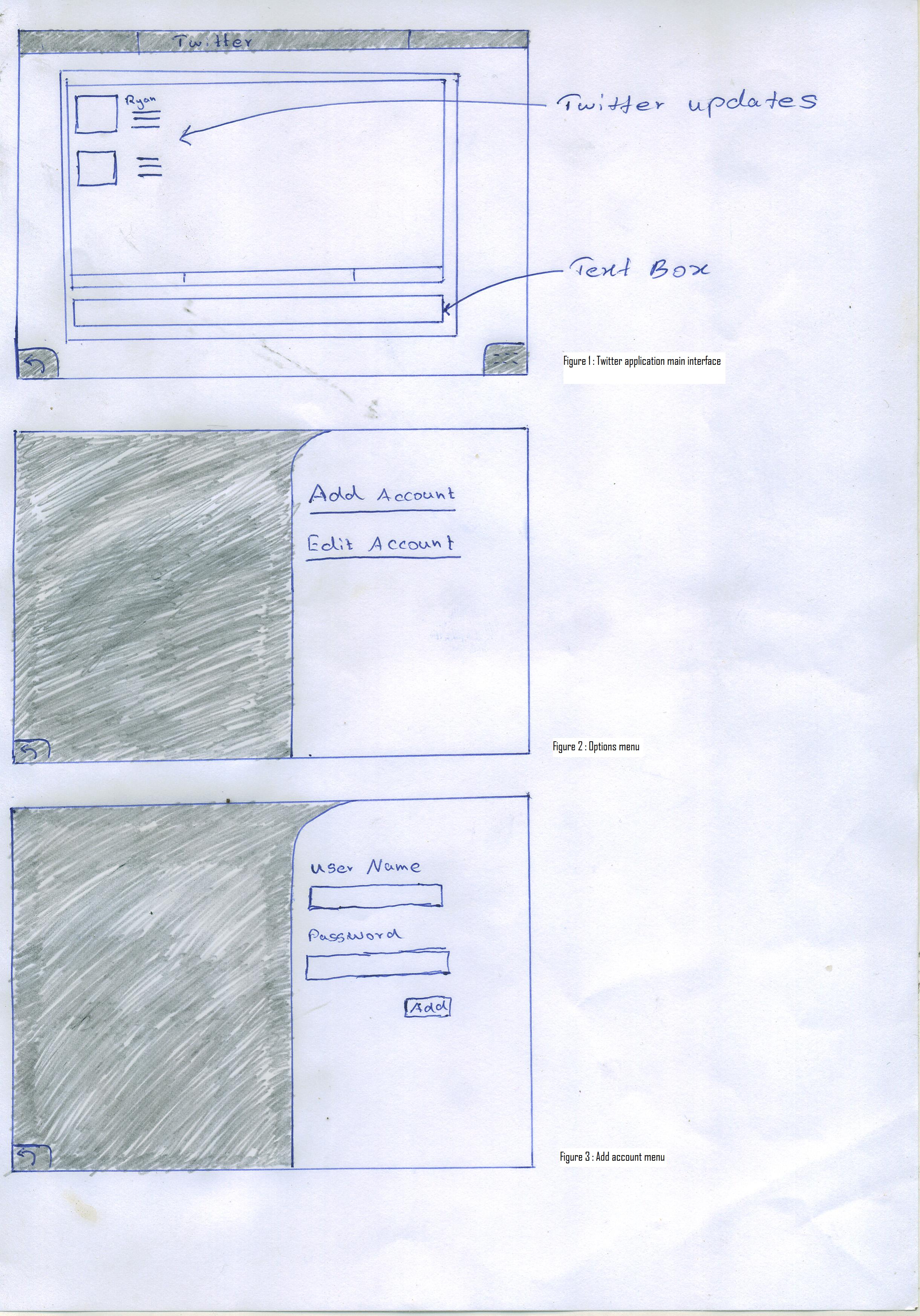
Mockups of the plugin - Media:twitter_mockup.jpg
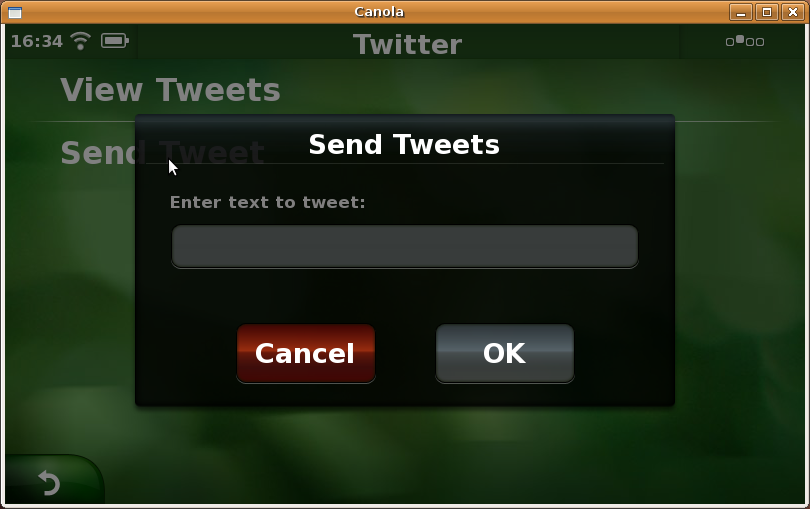
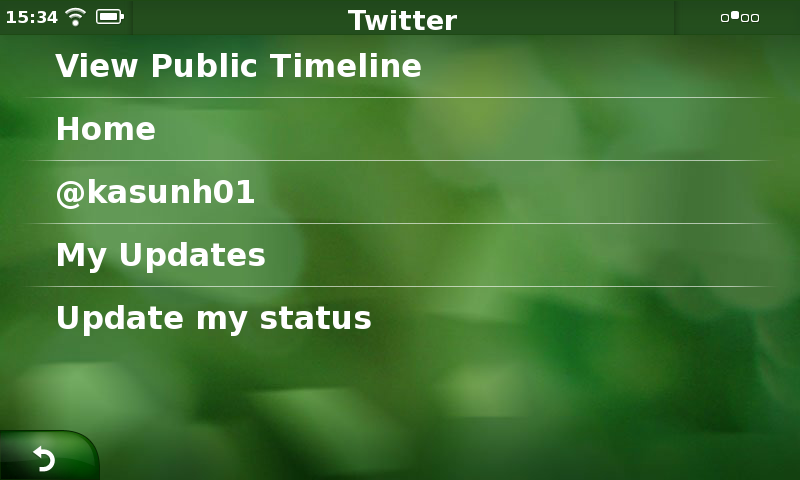
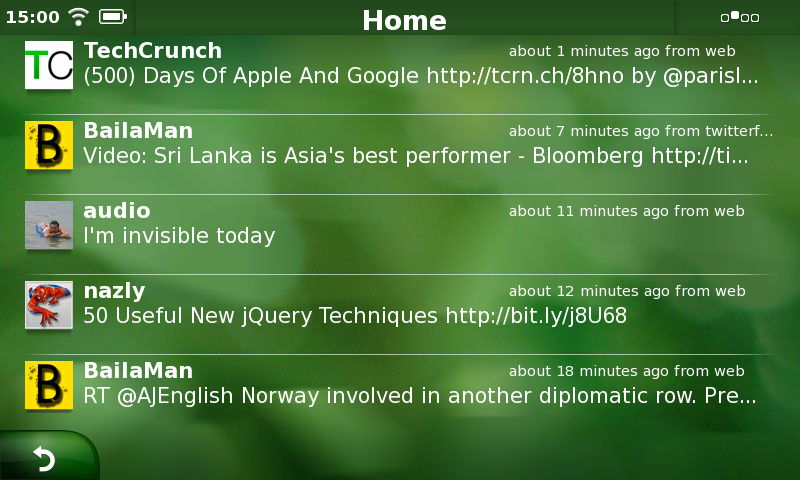
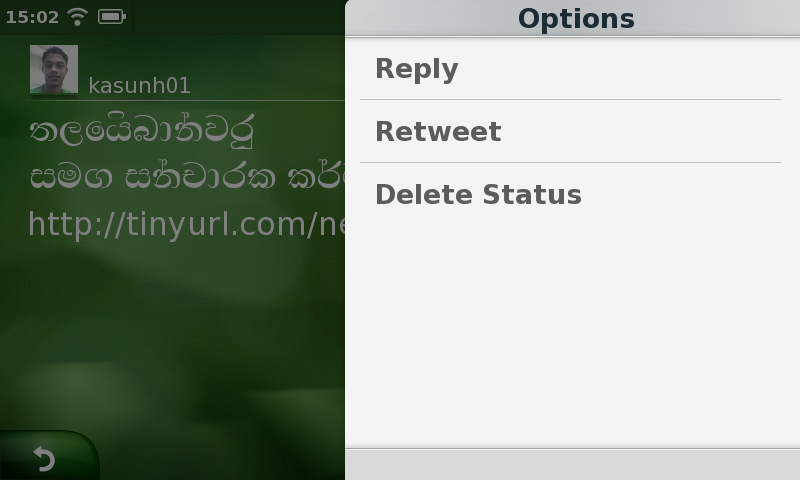
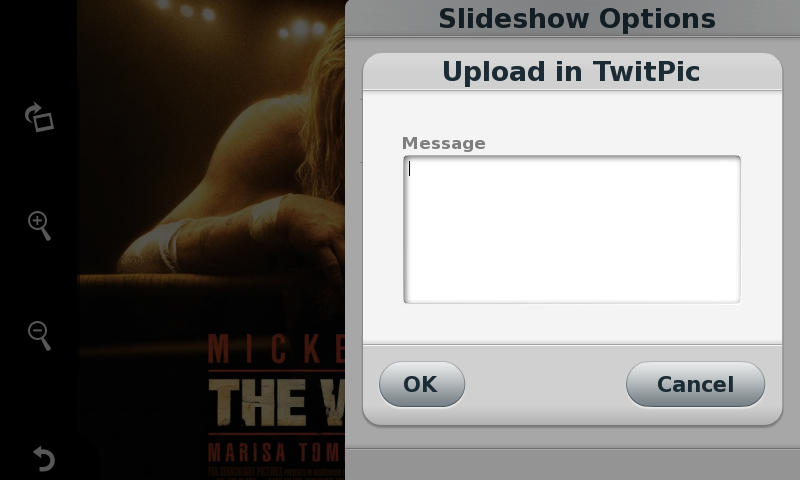
Current Interfaces - Media:Twitter-textbox.png , Media:Twitter-list.png Media:Twitter-updates.png , Media:Twitter-options.png , Media:Twitter-Reply.png , Media:Twitter-Twitpic.png
Progress
- Settings options implemented.
- Twitter client implemented.
- Twitter options(Reply, Retweet, Delete) implemented
- Twitpic support integrated
Project Reports
How to Install
- Download the latest twitter-plugin using the command, git clone git://code.openbossa.org/canola-twitter-plugin/mainline.git
- copy the mainline/canola-twitter folder into canola-src/canola/plugins folder
- cd into, mainline/data/themes/default
- Run, edje_cc default.edc default-twitter.edj -id images command to compile the theme file
- copy the default-twitter.edj into canola-src/canola/THEMES folder
- Install python-twitter API from [1]